


Xbox One Crew w. big enises ... Halo MCC HYPE THREAD! (est. 2007)


I still like honda's. :-/
Joined: Mar 2004
Posts: 16,762
Likes: 0
From: Gilbert, AZ

I think I figured out how they're doing the ROBOT voice.
You need a Male-to-Male 1/8" Mini jack cable.
Run one side in to your microphone input on the controller, and run the other end in to your PC audio out slot.
Then the audio from your PC should input directly to the game.
You need a Male-to-Male 1/8" Mini jack cable.
Run one side in to your microphone input on the controller, and run the other end in to your PC audio out slot.
Then the audio from your PC should input directly to the game.

BOOM goes the dynamite!
Joined: Mar 2003
Posts: 27,571
Likes: 1
From: in a van down by the rive
I think I figured out how they're doing the ROBOT voice.
You need a Male-to-Male 1/8" Mini jack cable.
Run one side in to your microphone input on the controller, and run the other end in to your PC audio out slot.
Then the audio from your PC should input directly to the game.
You need a Male-to-Male 1/8" Mini jack cable.
Run one side in to your microphone input on the controller, and run the other end in to your PC audio out slot.
Then the audio from your PC should input directly to the game.

I still like honda's. :-/
Joined: Mar 2004
Posts: 16,762
Likes: 0
From: Gilbert, AZ
edit: maybe it is the 2.5mm size. hmm.
Last edited by dE.fUsEd; Mar 19, 2010 at 03:15 PM.
I still like honda's. :-/
Joined: Mar 2004
Posts: 16,762
Likes: 0
From: Gilbert, AZ
So I guess you will need an adapter or coverter cable, too.  h:
h:
http://cgi.ebay.com/1-8-mini-3-5mm-s...item27aee62432
h:http://cgi.ebay.com/1-8-mini-3-5mm-s...item27aee62432

Thread Starter
#CustomUserTitle
Joined: Mar 2002
Posts: 63,855
Likes: 1
From: glass case of emotion
too bad none of y'all lived in this area. We could soooooo set that up and go ballistic on Social.
Had to bring the beast PC (QuadCore Q9450, 8GB ram, 200GB SSD, 2 8800GTS SLi cards) into the game room to do the video capturing / editing.
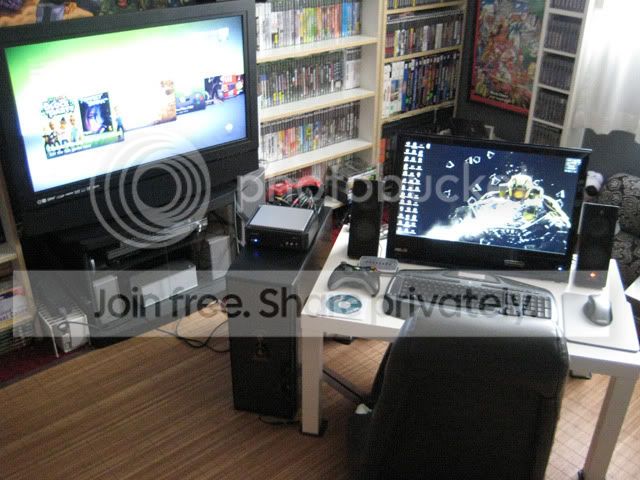
Making "minor" progress with Vegas. I figured out how to use the trimmer (let me know if interested J) and did some basic synch'ing / looping of audio.
I have one more quick one to post and I'll upload the unedited clips somewhere. I think these might be the only 2 things I've saved in the longest. :hs:
EDIT: 2nd video ... after 1 hour of YT processing time. : X
Had to bring the beast PC (QuadCore Q9450, 8GB ram, 200GB SSD, 2 8800GTS SLi cards) into the game room to do the video capturing / editing.
Making "minor" progress with Vegas. I figured out how to use the trimmer (let me know if interested J) and did some basic synch'ing / looping of audio.
I have one more quick one to post and I'll upload the unedited clips somewhere. I think these might be the only 2 things I've saved in the longest. :hs:
EDIT: 2nd video ... after 1 hour of YT processing time. : X
Last edited by e3NiNe; Mar 19, 2010 at 04:24 PM.
I still like honda's. :-/
Joined: Mar 2004
Posts: 16,762
Likes: 0
From: Gilbert, AZ
Nice, man. I figured you were going to end up moving your PC since you have the most free time of all of us right now. :fawk:
Oh, and if you want the clips to merge/fade in to each other, just drag the 2nd clip in to the first clip till you see the 1:00 marker (it's 1 second).
Oh, and if you want the clips to merge/fade in to each other, just drag the 2nd clip in to the first clip till you see the 1:00 marker (it's 1 second).
Thread Starter
#CustomUserTitle
Joined: Mar 2002
Posts: 63,855
Likes: 1
From: glass case of emotion
I'm use to building tracks in Adobe Audition. The individual wav files would kinda click together like building blocks. Start a new track, click onto the previous. I tried it with Vegas and it kept leaving me with half second gaps. I couldn't drop the video on something that wasn't exactly on the :01 mark.
:hi5:

