


Xbox One Crew w. big enises ... Halo MCC HYPE THREAD! (est. 2007)



BAZINGA!
Joined: Aug 2004
Posts: 21,613
Likes: 0
From: San Diego, CA

 I read that on the Target's customer review site. That would be NUTS!!!
How do you set the resolution? I thought it did it automatically...
<----noob

I got worms.
Joined: Jul 2000
Posts: 32,238
Likes: 0
From: Utah
__________________
99 Integra GSR
06 TSX
duck squad member #00003
99 Integra GSR
06 TSX
duck squad member #00003

BOOM goes the dynamite!
Joined: Mar 2003
Posts: 27,571
Likes: 1
From: in a van down by the rive

Thread Starter
#CustomUserTitle
Joined: Mar 2002
Posts: 63,855
Likes: 1
From: glass case of emotion
check it.
360 setup


PS3 auto detect
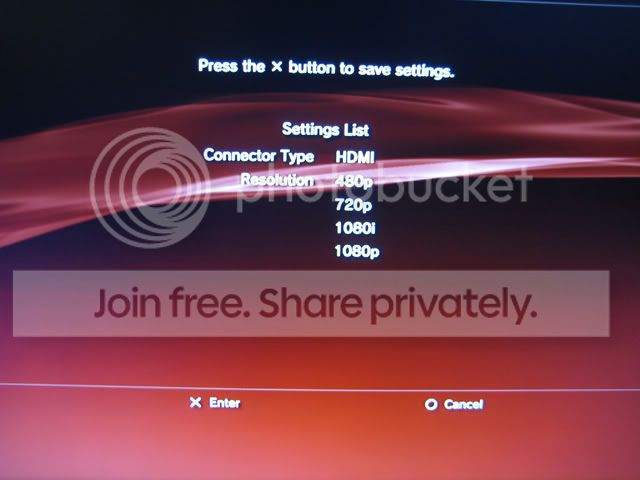
and it sticks
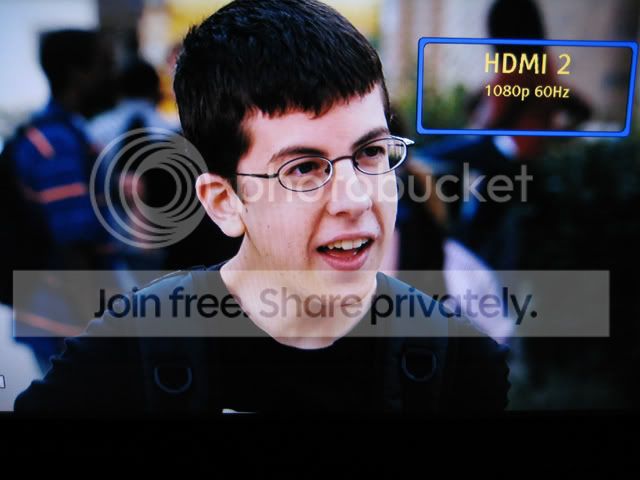
The TV fully recognizes the output. If it didn't, the screen should go black. That's what happened on my old set when I tried 1080p.
BOOM goes the dynamite!
Joined: Mar 2003
Posts: 27,571
Likes: 1
From: in a van down by the rive
BAZINGA!
Joined: Aug 2004
Posts: 21,613
Likes: 0
From: San Diego, CA
go to the system settings blade -> console -> display
check it.
360 setup
[IM]http://i40.photobucket.com/albums/e227/e3NiNe02/Personal/1080p-360-01.jpg[/IMG]
[IM]http://i40.photobucket.com/albums/e227/e3NiNe02/Personal/1080p-360-02.jpg[/IMG]
PS3 auto detect
[im]http://i40.photobucket.com/albums/e227/e3NiNe02/Personal/1080p-PS3-01.jpg[/img]
and it sticks
[im]http://i40.photobucket.com/albums/e227/e3NiNe02/Personal/1080p-PS3-02.jpg[/img]
The TV fully recognizes the output. If it didn't, the screen should go black. That's what happened on my old set when I tried 1080p.
check it.
360 setup
[IM]http://i40.photobucket.com/albums/e227/e3NiNe02/Personal/1080p-360-01.jpg[/IMG]
[IM]http://i40.photobucket.com/albums/e227/e3NiNe02/Personal/1080p-360-02.jpg[/IMG]
PS3 auto detect
[im]http://i40.photobucket.com/albums/e227/e3NiNe02/Personal/1080p-PS3-01.jpg[/img]
and it sticks
[im]http://i40.photobucket.com/albums/e227/e3NiNe02/Personal/1080p-PS3-02.jpg[/img]
The TV fully recognizes the output. If it didn't, the screen should go black. That's what happened on my old set when I tried 1080p.
Looks like I'll wait for the HD-A30 rather than the HD-A3

